Part I – Essential Question “What is 21st Century Teaching and Learning?”
When defining 21st century teaching and learning, many aspects must be considered. First, we should consider what is different about our 21st century world compared to previous times. Technology has existed since the dawn of society as a byproduct of necessity. Innovative thinkers develop tools of technology and technological processes as alternatives and solutions to problems. The 21st century has allowed for the global development of powerful digital technologies at a progressive rate (Kilbane & Milman, 2014). We must then consider the impact this innovation in digital technology has on our knowledge as a population. Our worldviews have become more diverse because of advances in technology and communication. Digital technology supplies us with unlimited amounts of information with the click of a mouse or flick of a finger. Though much of this information is not factual or logically accurate, it is available to us no less. Beyond being able to apply technology and communication tools correctly, we must also consider the new need for the critical processes necessary to discriminate between accurate and inaccurate information. We also need foundational knowledge to use inference when confronting new information. Finally, we must look at the impact technology and new information have on our lives. The results can be for the betterment and to the detriment of our global community. All the same, the impact cannot be ignored. Technology and the rapid acquisition of information are causing major changes in the ways we think and live in the digital era.
Keeping these considerations in mind, 21st century teaching reflects the evolution of digital technology and the changes in how we think and live. Teachers are no longer the primary source of content in a student’s life. Though this can be viewed as relief from some of the responsibilities of teaching in the past century, it has also developed a new set of teacher responsibilities and priorities. As defined by the International Society for Technology in Education (ISTE), the teacher must now fulfill the roles of learner, leader, citizen, collaborator, designer, facilitator, and analyst in order to effectively and efficiently instruct 21st century learners (ISTE 2019). The teacher must also combine these roles to generate student engagement. This facilitates a shift from content-centered instruction to learner-centered, individualized instruction. The aforementioned instructional shift in conjunction with the digital era demands that teaching includes differentiated instruction as well as emphasis on instructional design. This focuses on the actual process of teaching more than simply using popular instructional models to relay content. Kilbane and Milman write that “a new mind-set, an expanded skill-set, and a high-quality tool set are essential for effective teaching in the 21st century” (2014, page 7).
In turn, 21st century learning goes beyond the traditional memorization, understanding, and evaluation of content. 21st century learning requires that students are prepared for successful 21st century living and learning. This preparation includes critical thinking skills in knowledge acquisition, technology usage, and combining the two. Learners must be engaged in the learning experience and possess the knowledge of how to use technological tools for both personal and educational purposes and communication. 21st century learning encompasses a greater diversity of student populations than seen in the past. This means that learning is more customized for individuals than in the past. It also implies that students must learn how to communicate with a larger demographic of peers. ISTE defines student standards for 21st century learning in five domains: “creativity and innovation, communication and collaboration, research and information fluency, digital citizenship, [and] technology operations and concepts” (Kilbane & Milman, 2014, page 7). These domains differ from the focuses of learning in the 20th century. Technology and digital citizenship were not imperative to success in much of the 20th century. The integration of technology in our daily lives requires us to be able to communicate and collaborate. These domains are the focus of learning in the digital era.
References
Kilbane, C. R., & Milman, N. B. (2014). Teaching models: designing instruction for 21st century learners. Upper Saddle River, NJ: Pearson Education, Inc.
ISTE standards
for educators. (2019). Retrieved from https://www.iste.org/standards/for-educators
Part II – Evernote Strategy
I started this module with some prior knowledge of Evernote. In 2015, I began using Evernote to collect information for work and recipes for cooking. However, I had not used it in an academic setting, so there was a bit of a learning curve in this module. Evernote offers a user-friendly way to compose and organize notes. Though I had some trouble transferring the notes back and forth between my phone and computer (there is a time lag on updating the information which leads to the creation of “conflicting” notes), I ultimately used my phone to take notes and images of figures. I was then able to annotate these images on both devices. Having the ability to annotate images of figures from the book was beneficial to the learning process. I was able to use multiple learning styles, particularly a combination of visual and kinesthetic learning, to assist in analyzing and evaluating the information from the text. It is particularly difficult to initialize kinesthetic learning methods in much of my school work. By using Evernote, I was allowed to physically interact with the text. The search feature was also helpful in referencing previously covered information. This referencing lead to a deeper connection to the information as a whole. Overall, I would classify Evernote as a tool for increased learning and understanding in my studies.
In my
classroom, I would use Evernote as a tool for learning and collaboration amongst
my students to strengthen their technological knowledge as well as their
content knowledge. Allowing each student to document their learning in
notebooks in Evernote is a great method for interacting with multiple informational
sources. It also actively engages students in the research and note taking
process. Notebooks could be used to compile research on a topic from various
sources. The students can take notes, screenshots, create lists, and photograph
text or relevant images. Evernote also allows for the sharing of notes and
notebooks. This could be assistive in collaboration between students. Students
could work collaboratively to create notes and notebooks and then share the
work on their individual devices. The notes could also be created individually
and then shared for a collaborative follow-up activity or project. Both of
these methods lead the students to a deeper understanding and evaluation of the
material.
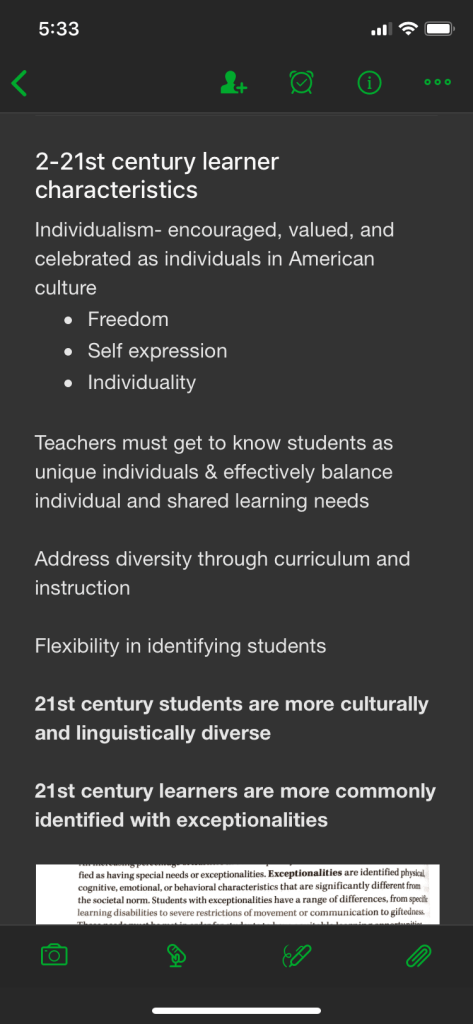
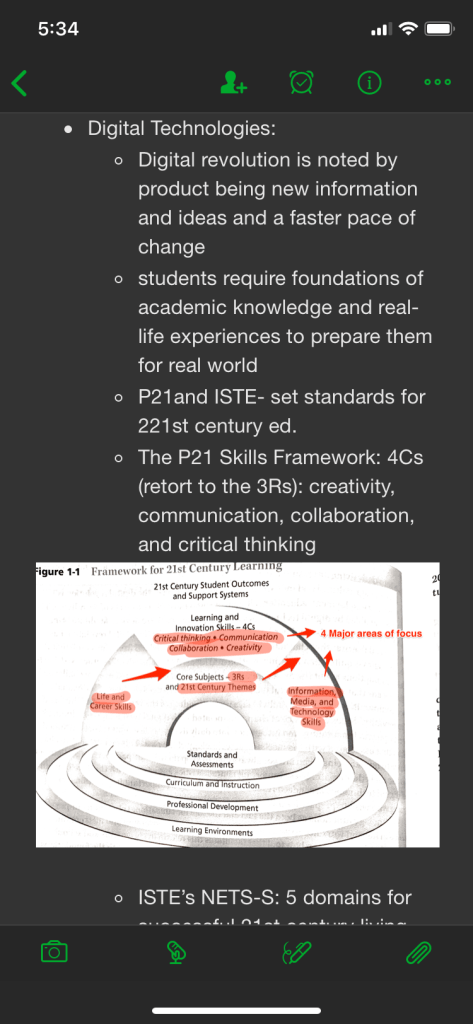
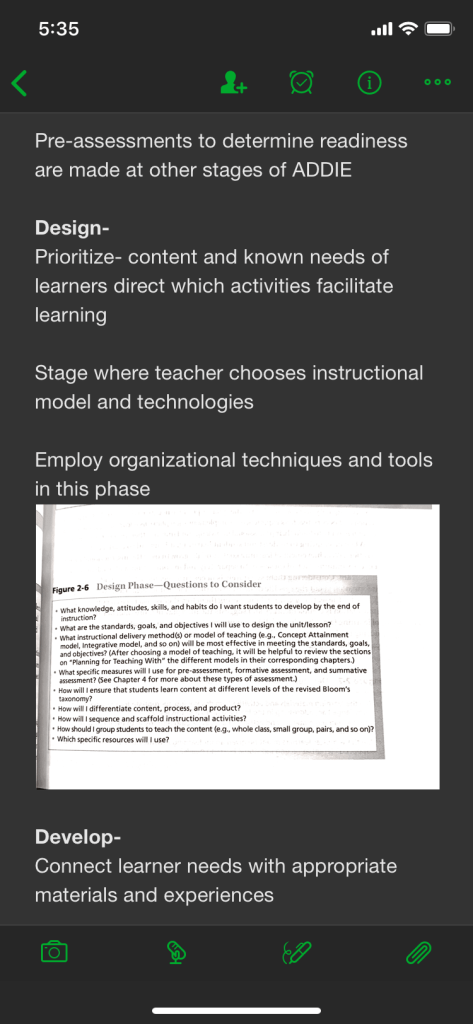
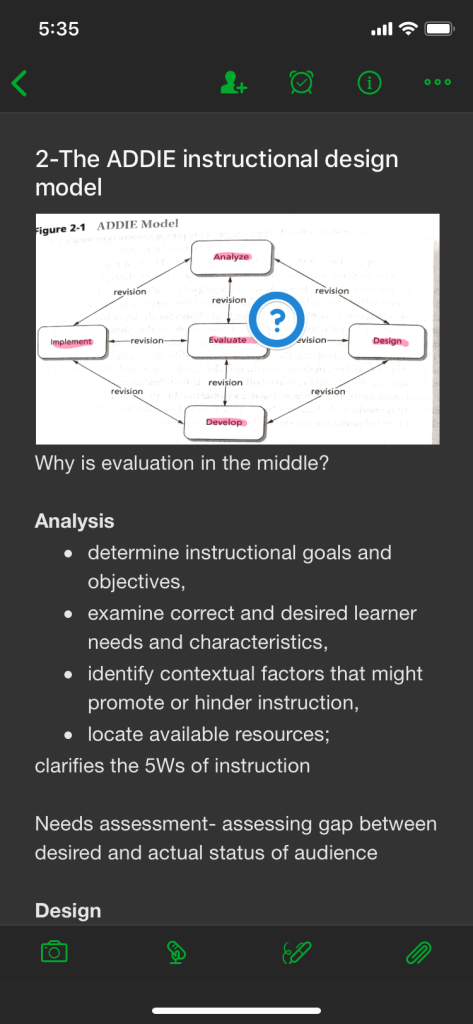
Part III 21st Century Tool Review: Flocabulary.com
Flocabulary.com is a website I discovered while browsing Facebook that provides hip-hop videos about all sorts of subject matter. The site can be best used to supplement lessons in just about any content that the videos cover. The site also includes vocabulary cards and games, quizzes, and a lyrics lab for each video. For teachers, the site also provides standards alignment information and .pdf handouts.
Flocabulary.com can be used with any pedagogy where student engagement is valued. Though the site is mostly video-based with the ensuing visual and auditory interaction, students can interact with the vocabulary, quiz, and lyrics lab options to gain a deeper understanding of the material and assess this understanding. The site can be used on an individual basis or in a group setting. It offers flexibility in how it can be utilized in the classroom. Personally, I would use the tool for the introductory portion of a lesson or unit and use the assistive tools to identify the strengths and weaknesses of learners’ understanding. I’ve seen videos of teachers using the songs during other games and activities and teaching the songs to the students. I would like to use the site as these teachers did or have a dance party associated with the videos in my classroom.
To use Flocabulary.com correctly, students would need a few technology skills. First, they would need to be familiar with how to use a web browser to access the site if they were working with it independent of the teacher. The site does provide a way to assign videos to students. This would mean that the students would need to be familiar with the user interface of the site. Overall, the site is very user-friendly and does not require much more than these basic understandings.
 Beth Rush Teaches